Watching MooFlow
Saturday, 29 March 2008
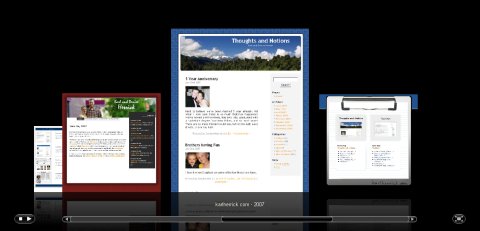
I’ve been hacking around with and watching the development of MooFlow over the last few days. It looks and works pretty nice in most browsers and has quite a few options to play with. In the screenshot above, most options are enabled and the images are imported from page.html.
Other examples at the site showcase some of the other features, like images that have external links attached to special buttons, drop down descriptions that float over the image, and the ability to get your images via JSON.
The development version still has a few noticeable bugs:
In Firefox 2.0.0.12: When resizing the stage (bottom right button), the quicklook button shows. When pressed, the image appears under the stage. The user may not realize this until the stage is restored to it’s normal size.
In IE7: When clicking the quicklook button, the image is not zoomed to full size.
Even though there are a few bugs to be worked out, MooFlow already looks great. Not to mention all of the ways it could be used. It even accepts keyboard and mouse scroll input. What’s not to like?
